Word to TXT: Free Online Converter for Clean Text Extraction
Word to TXT: Free Online Converter for Clean Text Extraction
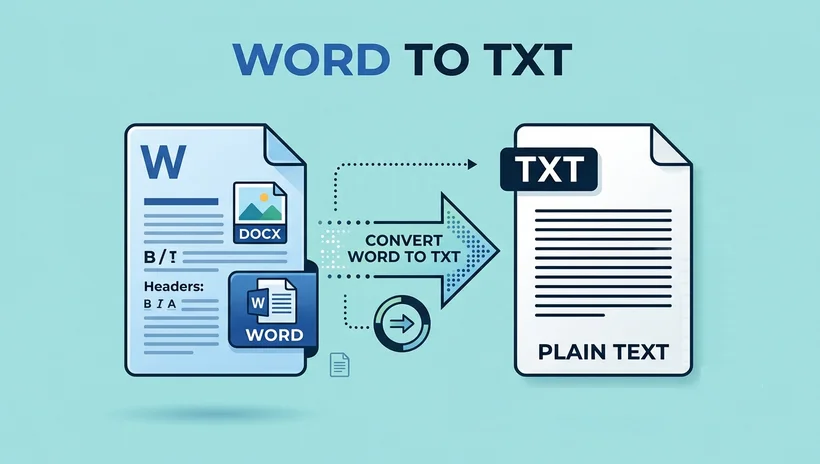
Plain text (TXT) is the universal document format that works on every operating system, opens in every editor, loads instantly, and carries zero formatting bloat. Whether you’re a developer parsing data, a student compiling research, or a writer drafting clean copy, converting Word documents to TXT is an essential workflow skill.
A quick online search will turn up dozens of Word to TXT converters, yet most tools make this simple task unnecessarily difficult. They require software downloads, force account sign-ups, hide core features behind paywalls, or produce messy, garbled output that demands manual cleanup.
This guide introduces a 100% free, browser-based Word to TXT file converter that delivers clean, accurate text extraction in seconds. For advanced needs, the AI Agent solution takes it further, allowing you to extract specific sections, auto-generate summaries, or process documents flexibly using simple natural-language commands.
Common Pain Points of Word to TXT Conversion
If you’ve tried other doc to txt converter tools, you’ve likely run into one of these frustrations:
- Forced software installation: Desktop converters require downloads, take up storage, and only work on a single device.
- Hidden fees and paywalls: Many “free” online tools limit file size, cap daily conversions, or lock basic features behind premium plans.
- Privacy and security risks: Uploading sensitive business documents, academic work, or personal files to untrusted platforms puts your content at risk.
- Poor output quality: Low-quality converters leave garbled characters, broken line breaks, stray formatting code, or missing content in the final TXT file, forcing you to clean up manually.
- No preview or quick edits: Most tools only generate a downloadable file, with no way to review or adjust the text before you save it.
Introducing the CloudXDocs Free Word to TXT Converter
The CloudXDocs Word to TXT converter is a browser-based tool built to solve these problems. It delivers accurate, clean plain-text extraction from Word documents, with zero cost, zero setup, and strong privacy protections built in. All files are processed securely and automatically deleted shortly after conversion, with no permanent storage of your document content.
✅ Core Features
- Broad Word format support: Works seamlessly with .doc, .docx, .dot, .dotm, .dotx, and .docm files — no pre-conversion needed.
- 100% free, no hidden costs: No subscriptions, no paywalls, no ads, and no fine print. Full conversion functionality is available to every user at no charge.
- Cross-platform access: Works on Windows, Mac, Linux, iOS, and Android. Any device with a browser can convert Word to TXT file from anywhere.
- Built-in online preview and editing: Immediately after conversion, you can view the full plain-text output directly in your browser and make quick edits without leaving the page.
How to Convert Word to TXT in 3 Simple Steps
The process takes seconds and requires no technical expertise:
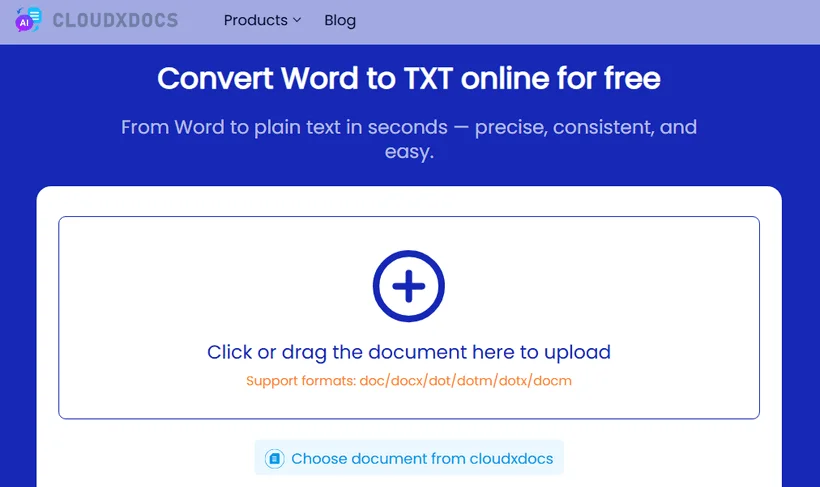
1. Upload your Word document
Drag and drop your Word file into the converter interface, or click to select a file from your device. You can also import documents directly from CloudXDocs storage.
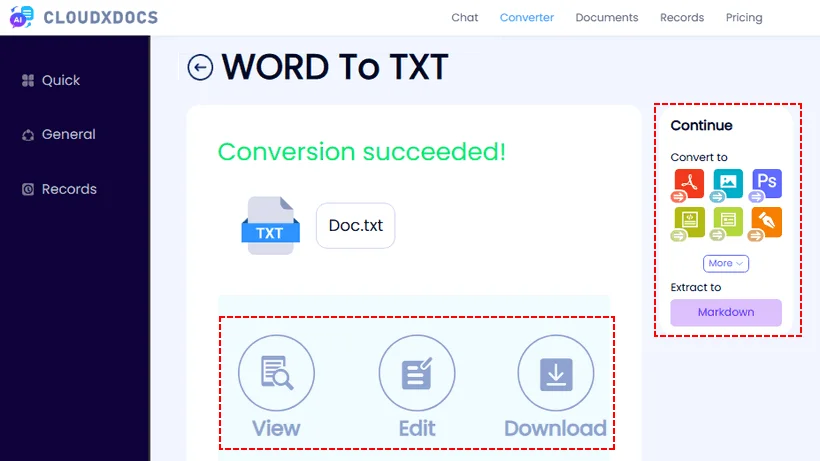
2. Wait for the conversion
In just a few seconds, the tool extracts all text content and generates a plain text file. You can click “View” or “Edit” to preview the result or make fast edits directly on the page.
3. Download or continue conversion
Click the “Download” button to save the file locally. Or continue converting the Word document to other format by clicking the corresponding button on the right without returning to the home page.
That’s it. No software installation, no account creation, no learning curve. The reverse conversion, from TXT to Word, is equally straightforward.
Beyond Basic Conversion: AI Document Agent
For users who work with documents beyond simple format conversion, CloudXDocs also offers the Document Agent — an advanced AI-powered platform for processing and generating Word, Excel, PowerPoint, and PDF files.
The agent intelligently identifies supported document types and applies the right processing automatically. Whether you need to edit, transform, analyze, or generate documents from scratch, it provides a unified, AI-driven workspace for all your office document tasks.
What is an AI Document Agent?
Unlike traditional conversion tools that simply transform file formats, CloudXDocs’ Document Agent is a skills-enhanced AI agent with deep research capabilities. They can read over 20+ types of files, including Word, TXT, and Markdown files.
Once you upload your document, you can interact with it entirely through natural language: ask content questions, request edits, reformatting, or format conversion, and the AI agent will generate precise results in seconds based on your file.
Step-by-Step: Convert Word to TXT with AI Agent
The process is intuitive and works entirely in your browser:
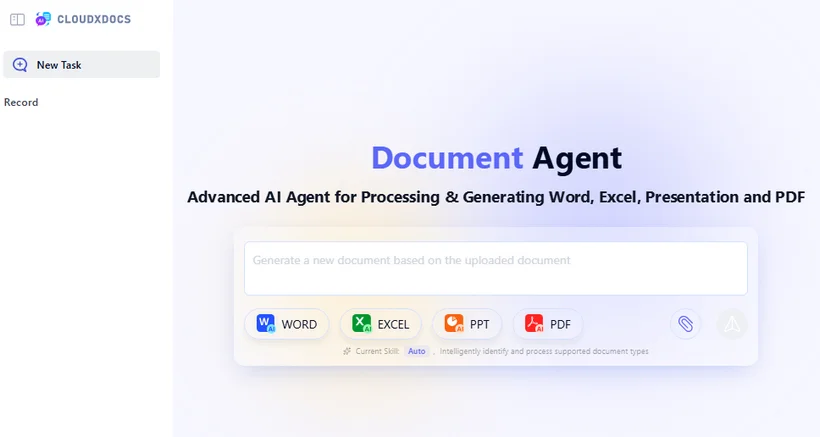
1. Access the Document Agent
Open the CloudXDocs Agent page in any modern web browser (user registration is required to get free credits).
2. Upload your Word document
Click the “Upload document” button or drag and drop your .doc, .docx, or other supported Word file directly into the agent interface. The agent will automatically detect the document type and load it for processing.
3. Submit your conversion request
In the command input field, enter a plain-language instruction for the task. For Word-to-TXT conversion, you can use a simple prompt such as:
“Convert this Word document to clean plain text and output it as a TXT file.”
You can also add custom requirements, such as extracting only specific parts of the document.
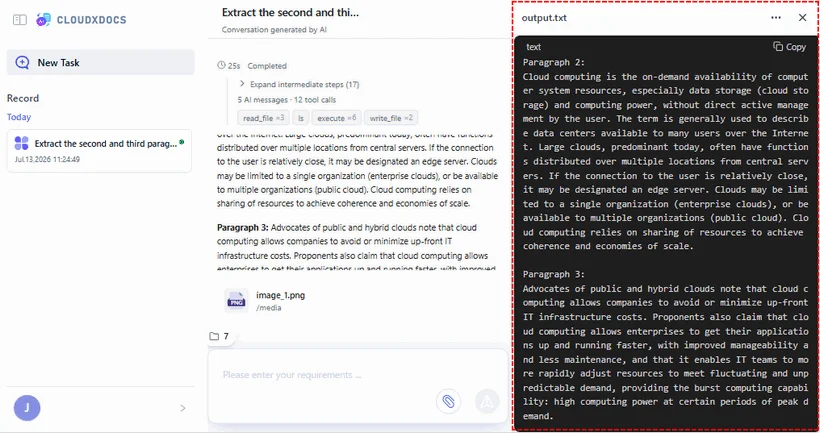
“Extract the second and third paragraphs from this Word document and output as a TXT file.”
4. Wait for AI processing
The agent will interpret your request, extract the required text content from the Word document, and strip out all formatting, images, and layout elements.
5. Review, edit, and export your TXT result
View the converted plain text directly in the agent interface. Make any quick adjustments if needed, then download the final .txt file to your device, copy the text to your clipboard, or proceed with additional document tasks in the same workspace.
Which Tool Should You Use?
Both tools deliver reliable Word-to-TXT conversion, but they are built for different use cases:
- Choose the Word to TXT converter for the fastest, most streamlined one-click conversion. It is optimized purely for this single task, making it ideal for quick, routine text extraction with minimal steps.
- Choose the AI Document Agent if you want to combine text extraction with other document operations, work with multiple file formats in one place, or need the flexibility of natural-language commands for more custom processing needs.
Frequently Asked Questions (FAQs)
Q: Can I convert Word to TXT without losing paragraph structure?
Yes. The converter preserves your original paragraph breaks and overall document structure while stripping out formatting elements like fonts, colors, images, tables, and headers/footers. Your text remains readable and logically organized in the final TXT file.
Q: Can I extract text from a Word document without opening it?
Yes. With our browser-based converter, you never need to open the Word file in a desktop editor. Simply upload the file directly from your device, and the tool extracts all text content automatically. This is especially useful if you don’t have Microsoft Word installed or if you’re working on a mobile device.
Q: What is the difference between .doc and .docx conversion to TXT?
Both .doc (legacy Word format) and .docx (modern XML-based format) are fully supported and produce the same high-quality plain text output. The converter automatically detects the file format and applies the appropriate extraction method — no manual selection is needed on your part.
Q: Can I convert other document formats to TXT as well?
Yes. In addition to the Word to TXT converter, CloudXDocs also offers PDF to TXT converter, Excel to TXT converter, HTML to TXT converter and more. The AI Document Agent supports over 20 file types and can extract text from virtually any document using natural-language commands.
Final Thoughts
Converting Word to TXT shouldn’t be complicated, expensive, or risky. Whether you prefer the speed of a dedicated converter or the flexibility of an AI-powered agent, CloudXDocs delivers fast, accurate plain text extraction in a browser-based interface — all for free and with strong privacy safeguards.
Whether you’re a student, writer, developer, or professional, these tools are designed to make your document processing faster, smarter, and easier.